DJ Kurlander - Project Resources
Graphical Macros by Example
Overview
Having a visual graphical history, people can select out past sequences of commands to be turned into macros that can be repeated over and over again. Graphical Macros by Example allow users to define macros by demonstrating them once.
After selecting a sequence of commands from anywhere in the editing session, users can start the macro definition process. They specify which objects or properties are arguments to the macro by selecting them in place in the editable graphical history. Since nearly all macros need to be generalized to be useful, an inference engine suggests the most likely intent of each command in the macro, and this intent can be overridden by the user.
Editable graphical histories make it easy for people to select a sequence of commands that they would like to repeat. Graphical search and constraint-based search can serve as iteration mechanisms for the macros.
Examples
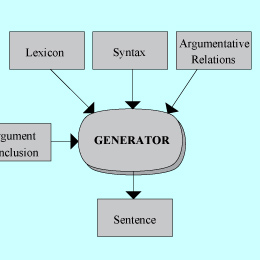
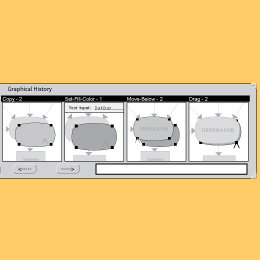
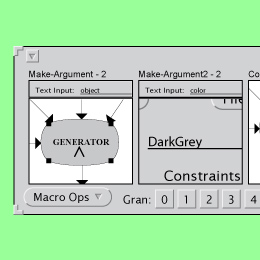
In this example, we create a macro to add drop shadows to graphical objects. We might not realize there is a need for this function until we execute the steps once for the oval labeled "GENERATOR" in the first (blue) panel. Then we review the history (second yellow panel), and select out the four steps that created the drop shadow. Now we don't want the steps to always be applied to the same graphical object and use the same color for the drop shadows, so we parameterize the macro - defining a first argument called "object" and a second argument called "color". The parameterization is shown in the third (green) panel.
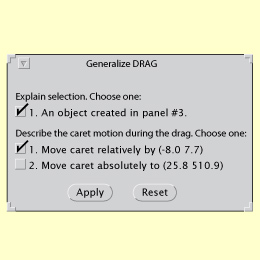
There are many possible semantic interpretations for the actions that have been performed in the history, and it is necessary to generalize these steps to turn them into a useful macro. We have built an inference engine that identifies the most likely interpretations for the various actions that can be performed in the editor. However, these can be overridden. The yellow panel above shows the generalizations for one of steps in the macro (moving the copied object over to a new location). The system correctly infers, for example, that the object to be moved is the result of the copy (in the third history panel) and the movement is a relative one rather than an absolute one.
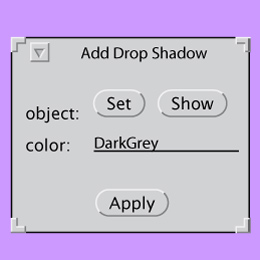
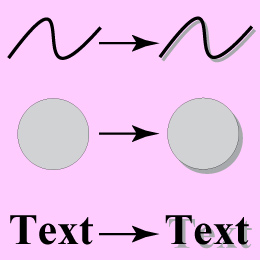
The macro is next named and saved, and then it can be applied to other objects in the scene. The next (purple) panel shows a dialog for setting the arguments, which we had specified during the earlier parametrization step. We can select an object in the scene and set it to be the first argument, and specify a color for the second argument. We try this on several different kind of objects in the scene, and the results are shown in the last (pink) panel.
It is certainly possible to make a mistake while defining a macro, but the visual representation of a macro is based upon editable graphical histories, and the macro can be edited in place, in the macro window. In fact, in defining this macro we first made a mistake and did not change the line-color of the drop shadow - only the fill-color. However, since the histories and macros are editable it was simple to correct.
History
In 1991, David (DJ) Kurlander began work on graphical macros by example for the Chimera editor. The technique was later published in a UIST '92 paper. Graphical macros by example became the seventh chapter in DJ's doctoral dissertation, Graphical Editing by Example.
Publications
Videos