DJ Kurlander - Project Resources
Microsoft Mobile Internet Toolkit and ASP.NET Mobile Controls
Overview
The Microsoft Mobile Internet Toolkit (hereafter referred to MMIT, but also later called ASP.NET Mobile Controls) makes it fast, easy, and inexpensive for developers to build, maintain, and deploy sophisticated mobile web applications for numerous devices. These are applications that run on the server and display in a mobile device's browser.
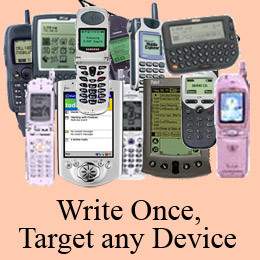
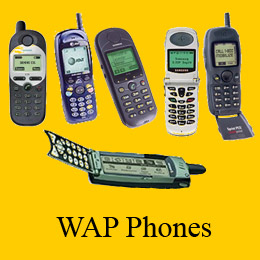
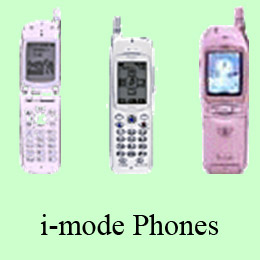
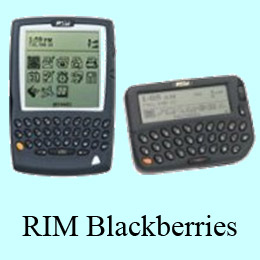
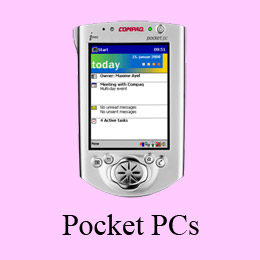
It is a challenge to develop mobile web applications for several reasons. First, mobile devices vary significantly in the kind of markup language their browsers can render. For example, browsers of WAP phones understand WML, i-mode phones in Japan render cHTML, Pocket PCs take HTML. And there are variations in the implementations of these markup languages, as anyone who has as written a WAP application can attest. Mobile devices also vary radically in their hardware characteristics - the size of the display, the use of soft-keys, and other input methodologies. The difficulty of building mobile web applications is further increased by variations among browser implementations, the impact of different mobile gateways, and the challenges of testing applications on devices globally.
By allowing the developer to write a single web application that targets hundreds of devices, MMIT simplifies the development of mobile web applications. Effectively it insulates the developer from device differences where possible. MMIT is built on top of ASP.NET, and is fully integrated into the Visual Studio .NET development environment. It essentially brings Microsoft's existing platform and tools to the mobile web -- so there is less for developers to learn. It uses the ASP.NET development model. In fact, a single project can include desktop web and mobile web support. It brings the full power of the .NET Framework and Microsoft's developer tools to mobile web development.
MMIT consists of a set of mobile controls, a mobile designer, and support for hundreds of different mobile devices.
Mobile Controls
MMIT contains over 20 native mobile controls. These include low level controls (like label, text view, and link), and high level controls (like calendar and adrotator). These controls adapt to the target device. For example, they produce WML for WAP phones cHTML for i-mode phones, and HTML for devices with more traditional browsers. They paginate appropriately for the size of the display. They also map to the appropriate controls or markup native to the device's browser. For example, the Selection List Control can render as radio buttons, a drop down list, checkboxes, or a listbox - depending on the target device.
The mobile controls are built upon the ASP.NET control base classes, and the process of defining a mobile page is very similar to defining a desktop page. In fact, a single web application can include both, leveraging the same application logic and data sources. MMIT also includes an extensibility mechanism. New controls can be readily defined, and the toolkit can be extended to handle new devices that appear in the market.
Mobile Designer
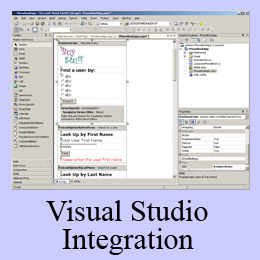
MMIT's Mobile Designer is fully integrated into Visual Studio .NET. So the same code development, debugging, and code management environment works for developing mobile web applications and desktop web applications.
Visual Studio .NET introduced the concept of "Web Forms" - a Visual-Basic like authoring environment for building web apps, using the .NET Framework and ASP.NET. Developers build web apps by dragging and dropping controls onto a form, setting properties and events, and writing backing code. This same methodology is used for all web applications - whether mobile or desktop. Since MMIT is built upon the .NET Framework, web apps can be authored in C#, VB.NET, JScript, Perl, Eiffel, Scheme, or any of the other many languages that run on the Common Language Runtime.
Device Support
The third component of MMIT is a rich device identification service, and support for hundreds of mobile devices. The device identification service includes a schema for tracking different device capabilities, including the browser version, markup language, display parameters (resolution, pagination lines, image capabilities, etc...), the input methods (eg. number of soft keys), and more. This device identification service is used internally by MMIT to render appropriately for different devices, but it is also available to the application, when adding further device customizations.
MMIT includes both device descriptions and device adapters, which allow it to support numerous devices, using a "write once, target any" approach. If a new device is released to the market with different rendering capabilities, this can be handled by adding a new device description (if it varies superficially from an existing device), or a new device adapter (if the mobile browser is substantially different). Currently MMIT supports over 260 different types of mobile devices.
History
MMIT was developed by DJ Kurlander's Adaptive User Interface (AUI) team, which was originally part of Edward Jung's Semantic Platform Group. The original goal of the Adaptive User Interface team was to develop interface technology that could adapt to multiple devices, user preferences, interaction histories, and the data to be presented. This is one of the fundamental problems of user interface research, and it is difficult to solve in the general case. However, the team saw an opportunity to focus pragmatically on adapting mobile web applications to small displays of various sorts, and to ship a first instantiation of this technology along with Visual Studio .NET, the .NET Framework, and ASP.NET.
Many people contributed to the MMIT effort. Greg Schechter, Shanku Niyogi, Regis Brid, and Kris Nye were largely responsible for the architecture.
DJ Kurlander is very proud of the MMIT / AUI effort, and especially the team that shipped this great piece of technology. Members of his team included Andres Sanabria, Antonio Akins, Bobby Videna, Bogdan Popp, Chris Thayer, Daniel Lehenbauer, Frank Delia, Frank Tse, Geo Lane, Gonzalo Isaza, Greg Schechter, Irinel Crivat, Jeremy Bostron, Jessica Fosler, Joe Croney, Joe Stegman, John Dixon, John Rinaldo, Kashif Alam, Konst Khurin, Masako Omoto, Matthew Gibbs, Pete Harris, Rakesh Gupta, Regis Brid, Rodney Korn, Sachin Agarwal, Sangita Pitre, Scott Imig, Simon Calvert, Simon Muzio, Susan Chory, Shanku Niyogi, Ting-Hao Yang, and Vladimir Jojic.
Publications
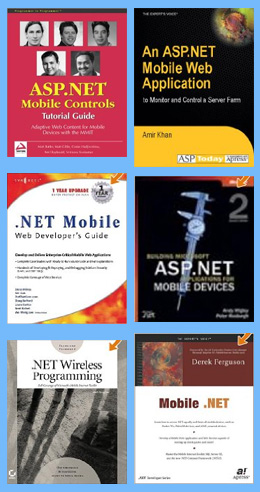
Mobile .NET. Derek Ferguson. Apress Books. 2002. ISBN: 1-893115-71-2.
.NET Wireless Programming. Mark Ridgeway. Sybex. 2002. ISBN-10: 0782129757.
The best way to get a sense of the capabilities of the Microsoft Surface Table is to watch an introductory video. However, here I'll present a number of the applications that the team built while developing Surface, which will hopefully give you a idea of its value and potential.
Videos