DJ Kurlander - Project Resources
Comic Chat
Overview
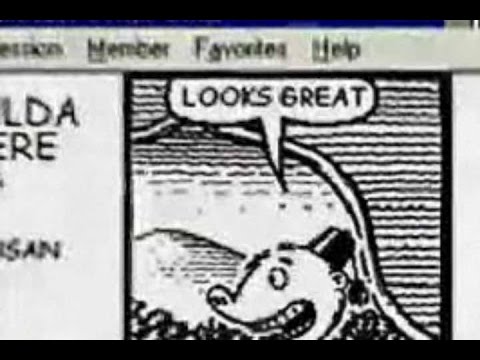
Comic Chat is a radically different kind of internet chat program, released by Microsoft in 1996. Instead of representing chat dialogs as text, like the majority of internet chat programs, or as graphical worlds like some emerging chat programs, Comic Chat visually represents conversations as sequences of comic panels. The application is shown below.

The primary motivations for this new representation were to create a graphical history of the conversation, and to automate positioning and default gesturing and expressions, allowing people to focus on the main task at hand - chatting. However, a lot of work went into capturing the aesthetics and rules of comics generation, and the result was a visually pleasing and natural presentation that, perhaps more than any other reason, led to its appeal.
Comic Chat was distributed broadly. It was first released as part of the Internet Explorer 3 Full Download during the summer of 1996, and was subsequently included as part of Windows 98 and NT 5, and with IE 4 and 5. It also became the official chat client of The Microsoft Network (MSN). Comic Chat was localized into 24 different languages, and had millions of users throughout the world. As it gained in popularity, subsequent versions were renamed Microsoft Chat.
History
David (DJ) Kurlander proposed the idea for Comic Chat, started the project within Microsoft Research, and developed the initial code in 1995. He, together with Tim Skelly and David Salesin, wrote a SIGGRAPH paper on the technology. Microsoft Research's Virtual Worlds Group assisted DJ in productizing Comic Chat for its first release, and then DJ moved to the Internet Division where he managed the development of subsequent versions and other communications technology.
Initially Comic Chat exclusively featured the comic art of Jim Woodring, a highly regarded (and brilliant) independent comic artist. Initially we had Jim illustrate real text chat transcripts to determine if the approach was worthwhile, and we were excited by the results. Below we show an original text chat transcript drawn by Jim. He gave Comic Chat its "look", and much of the challenge of creating Comic Chat was "reverse-engineering Jim" -- figuring out the rules he used in composing his comics, and then doing our meager best at replicating these rules in the program. Subsequently Microsoft released a character editor that allowed anyone to create their own visual representation or "avatar".

Current Status & How to Try It Out
In 2001, MSN decided to turn off its comic chat servers. MSN was transitioning from a subscription-based service to an ad-sponsored web destination, and felt that it could get more $$$ from hosting a smaller chat canvas on a web page with plenty of screen real estate for ads. It was a boneheaded decision, and it destroyed much of the existing comic chat community.
That said, Comic Chat communicates via the internet standard IRC (Internet Relay Chat) protocol, and hence it still works on many of the existing IRC servers on the net. To download Comic Chat, and get started using the application, simply follow the instructions here.
Examples
This section will explain and illustrate how to use Comic Chat. However, one of the best ways to learn about Comic Chat is to watch the introductory video.
The Comic Chat program is shown at the beginning of this page. (click on it to see a larger image). On the left of the application appears a scrolling canvas of graphical panels. Mugshots of the chatroom's participants appear in the upper right (in comics form of course!). Below that we have a self-view (the Tiki character), and an "emotion wheel" that makes it easy to select a pose for the character.
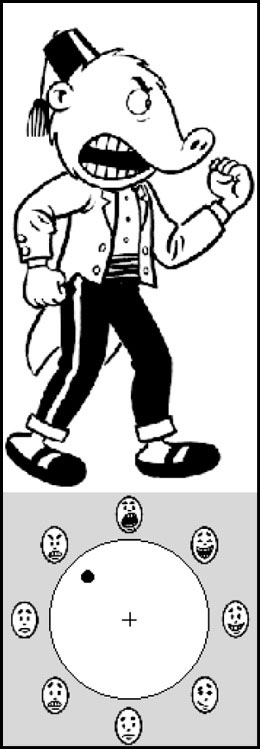
A larger version of the self-view and emotion wheel appear above. The circle at the bottom includes a number of emotions at its periphery (laughing, happy, coy, bored, scared, sad, angry, and shouting). At the center of the circle is the neutral expression. As the user moves the selector from the center of the circle towards an expression at the periphery, the character's emotion becomes more intense. For example, here an intensely angry emotion is chosen on the emotion wheel, and the self-view of the character reflects this. When the user next types a chat utterance, their character will be drawn in a panel with the same gesture and expression as in the self-view.
Comic Chat also looks for specific words in the text that is typed to help determine a gesture and expression. For example the emoticons, :-) and :-(, make the character happy or sad, respectively. Chat acronyms LOL (Laughing Out Loud) and ROTFL (Rolling on the Floor Laughing) make the character laugh. The character shouts when a message is sent in all caps. Greetings, such as "hi", "hello", "bye", and "goodbye", make the character wave. Self-references, such as I (at the start of a sentence), I'll, I will, I'm, I am, etc... makes the character point at itself. Other-references, like You (at the beginning of a sentence), Are you, Will you, Did you, etc... make the character point at the other. These rules were chosen by studying chat room texts and comic book iconography. When the user does not specify an emotion and one cannot be inferred from the text, Comic Chat cycles between multiple neutral gestures and expressions.
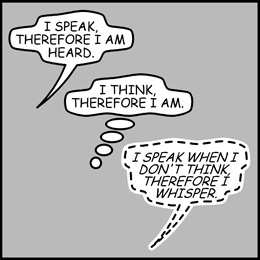
In Comic Chat, as in regular comics, there are multiple types of word balloons: speech balloons, thought balloons, and whisper balloons. Whispered messages are directed towards a subset of people in the chat room, and then the whisper balloons appear only on the display of the privileged few. Comic Chat also supports action/narration boxes that appear at the top of the panel. Users can choose a particular type of utterance, but messages default to regular word balloons.
As Hugh The Cat attests in the panel below, there's a lot of non-obvious computer work going on behind the scenes.

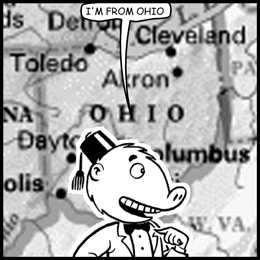
In addition to choosing gestures and expressions based on the emotion wheel and the text that is typed, Comic Chat chooses a position for the characters in the panels, and a direction for them to face based on comics layout rules. Each balloon is algorithmically generated to appear hand drawn. Heads and bodies are composited together to create greater combinations of art. And more! To learn more about all of this, please read the SIGGRAPH paper. Some cool ideas in the initial prototype never made it into the final project. For example, in the panel below, the background is adjusted according to the words that are typed.
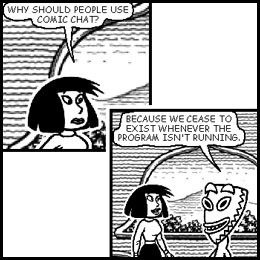
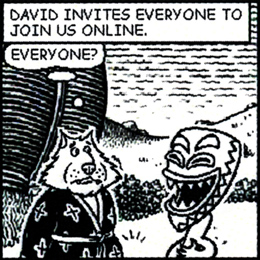
Why should you use Comic Chat? Do it for yourself, but also do it for the characters...
What are you waiting for, an invitation???
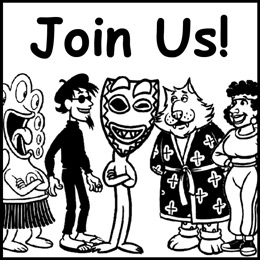
Learn how to get started through this "Getting Started" page, or one of the other links in the "Also See" section below.
Acknowledgments
Many talented folks helped DJ create and deliver Comic Chat over the years. These include Jim Woodring, Regis Brid, Shanku Niyogi, Teoman Smith, Eric George, Ramu Movva, Janise Kieffer, Tim Skelly, David Salesin, Jim Campbell, Tim Oerting, Ben Slivka, Ross Brown, Kent Cedola, Umesh Madan, Tab Tabscott, Mark Mecham, Christos Talanoez, Rene Fuller, Valerie Merrill, Chris Hind, and Nasa Koski. Thanks to Mermaid Elizabeth, Sniffles, and Comic-Reach for educating people about Comic Chat and working to keep it alive after MSN turned off the servers. And a very big thanks to everyone that has donned a character and participated in a comic chat conversation!
Publications
David Kurlander. Comic Chat: From Research to Product. Interaction '98. March 1998. Tokyo, Japan.
Videos
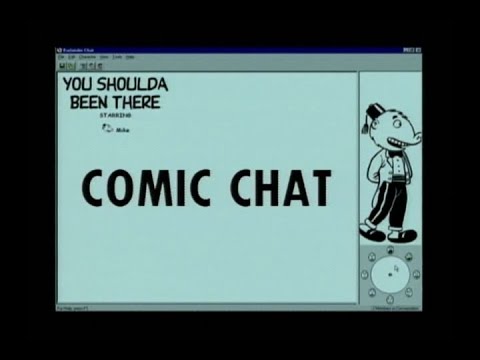

Also See
- A download site for Comic Chat (Microsoft Chat 2.5 in 24 different languages), plus the Character Editor (5 languages).
- DJ's Comic Chat Getting Started Page
- Mermaid Elizabeth has a great Comic Chat site, including:
- Sniffles has an excellent chat site with lots of info about Comic Chat:
- Botender has a fine "Getting Started" Site
- Wikipedia Entry for Comic Chat
- The daily JerkCity comic strip has been created with Comic Chat since 1998. It was renamed Bonequest in 2018 (Warning: it's profane).